iOS / iPadOS · Genuine App Store app

Shadowrocket Guide: Download, Setup and Connection

Shadowrocket is a rule-based proxy client for Apple platforms, works on both iPhone and iPad, and one purchase with the same Apple ID installs on both; Mac and Apple TV can also get it from the same App Store listing (see the compatibility notes on the store page). The app is a one-time purchase, bought and updated through the App Store; get servers and subscriptions from your provider and import them.

  • Shadowsocks
  • VMess
  • VLESS
  • Trojan
  • Hysteria2
  • WireGuard
  • Global Routing
  • On Demand
  • One-time purchase $2.99

CAPABILITIES

What the client does: rule-based routing, on-demand connections,multiple protocols and traffic statistics

The five items below are the ones you will deal with most in daily use. Each one gives the exact interface wording, where to find the setting, and a real rule snippet, so you can check them off one by one in the client.

Global Routing the global routing mode that decides where traffic goes by default

Global Routing has three modes: Config matches rules one by one from the configuration file, Proxy sends everything through the proxy, and Direct connects everything directly. Rules are matched from top to bottom and stop at the first match, so put specific domain rules first and fallback rules such as GEOIP and FINAL last.

Rule files are maintained on the Config page and support keywords such as DOMAIN-SUFFIX, DOMAIN-KEYWORD, IP-CIDR and GEOIP; after saving your changes, reconnect once for them to take effect.

DOMAIN-SUFFIX,example.com,PROXY
GEOIP,CN,DIRECT
FINAL,PROXY

DEVICES

iPhone and iPad: one purchase,installs on both

The client is distributed through the App Store, and your purchase is tied to your Apple ID. The two cards below cover how to get it on each type of device and what to watch for on first launch.

Mac and Apple TV can also get it from the same App Store listing (see the compatibility notes on the store page); Shadowrocket is released only on Apple platforms, and the App Store is the only place to get it.

On the App Store Download Shadowrocket

See the download steps

Interface preview · from the App Store listing

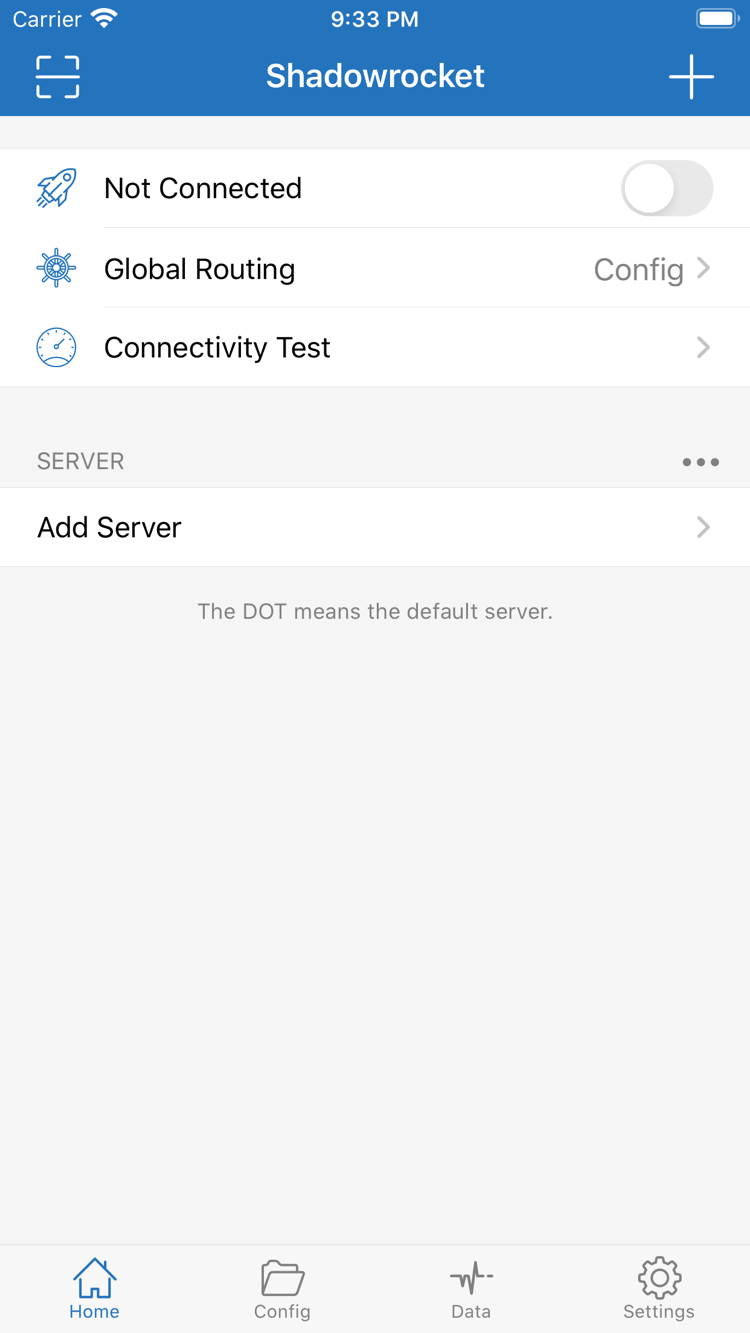
Shadowrocket interface: connection switch at the top of the Home page, Global Routing and the SERVER group
Home: connection switch, Global Routing and the SERVER group
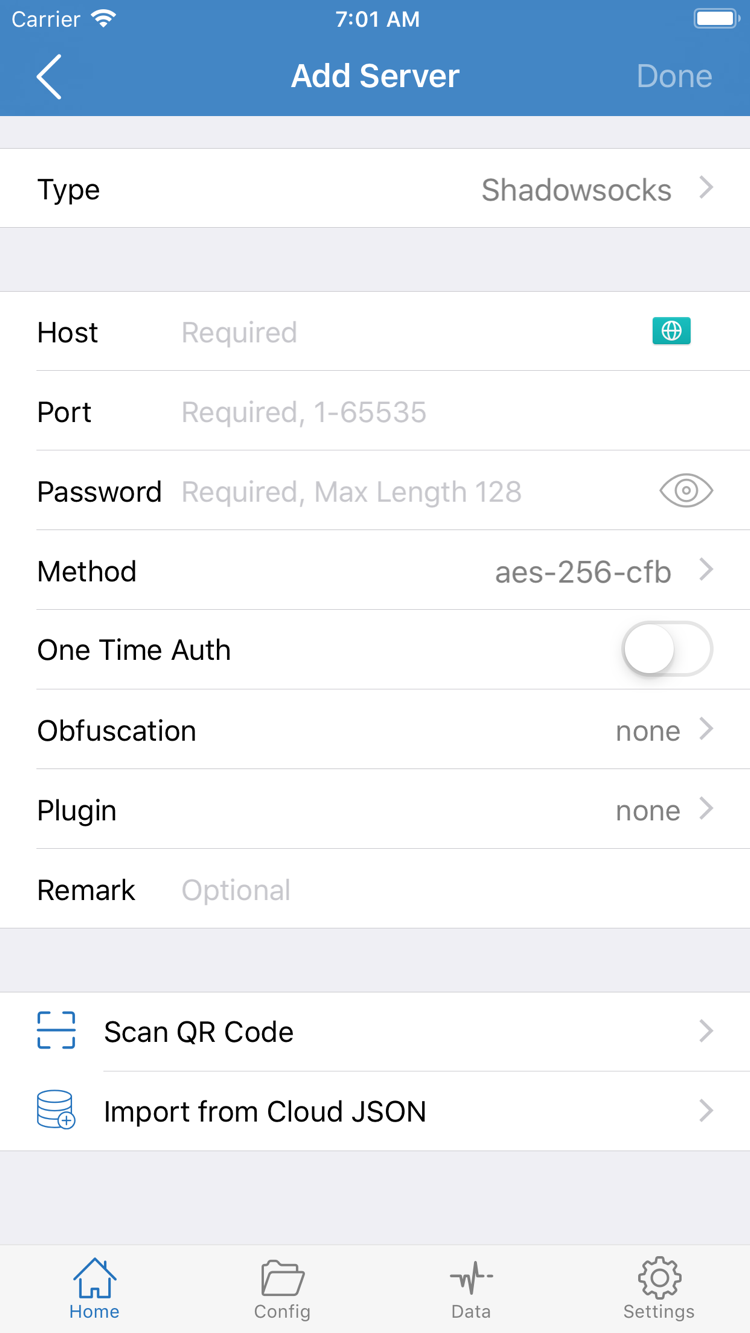
Shadowrocket interface: Type, Host, Port, Password and Method fields on the Add Server page
Add Server: enter server and protocol details

GENUINE

Genuine app checks and purchase facts

Three details in the App Store confirm you are downloading this client: the developer name, the official icon and the app ID. Below are how to check them and the facts worth knowing before you buy.

  • DeveloperShadow Launch Technology Limited
  • App ID932747118
  • PriceOne-time purchase
  • PlatformWorks on iPhone and iPad
Note

A client purchase is not a server plan: what you pay for is the client itself, and it includes no servers, lines or traffic. Get servers and subscriptions from your provider; this site does not provide, sell or recommend any server service.

How to check the developer and app ID

Search for Shadowrocket in the App Store; on the detail page, check the developer field first — it should read Shadow Launch Technology Limited; then look at the end of the store link for id932747118; finally compare the app icon — a rocket with a blue-purple outline on a white background.

All three have to match for it to be the client this guide refers to. Search results include plenty of apps with the same or similar names, so going by name alone makes it easy to install the wrong one; if any detail does not match, go back to the search results and check again.

Store availability and account region

Availability and pricing in the App Store are determined by the storefront of the Apple ID you are signed in with; different storefronts may show different languages, currencies and availability, and system requirements are always those stated on that storefront's page.

Before buying, make sure you are signed in with the Apple ID you use long term, and that the storefront's country or region matches your payment method, so you do not end up unable to download again on your usual account after paying.

Purchase and restore

After purchase, the same Apple ID can download and install it directly on both iPhone and iPad; when you change devices or reinstall the system, find Shadowrocket under your purchased items in the App Store and download it again — no second payment. Whether Family Sharing applies to this app is stated on the store page.

App updates also come through the App Store; you can turn on automatic updates in system settings or update manually.

One-time purchase vs. a server plan

A one-time purchase pays for the right to use the client itself and includes no servers, lines or traffic. A client purchase is not a server plan: after installing the app you still need to get server details or a subscription link from your provider and import them into the client before you can connect.

This guide only covers how to use the client and does not compare or recommend any provider; issues such as an expired subscription or used-up traffic need to be handled by your provider.

QUICK ANSWERS

Selected FAQ

Four of the most common questions, answered in one line each; the full FAQ by category is on the FAQ page.

  • How much does Shadowrocket cost?

    It is priced at about US$2.99 in the U.S. storefront as a one-time purchase; each storefront shows its local currency, and the App Store page is the final word.

  • Does buying the client include servers?

    No. A client purchase is not a server plan; servers and subscriptions must come from your provider and then be imported into the client.

  • What if a subscription fails to update after import?

    First check whether the subscription link is still valid and the device's network is working, then tap Update on the subscription entry manually; if it still fails, work through the prompts item by item — see the subscription and server import category on the FAQ page.

  • Do I have to buy it twice for iPhone and iPad?

    No. One purchase with the same Apple ID installs on both devices; after switching devices, just download it again from your purchased items.

View all FAQ